
AutoLot
Pro
Easy to manage. Profitable to own.
The complete Dealer Management System for independent used car dealers — built on WordPress, owned by you. Manage inventory, track costs and profit, handle leads, run your sales team, and analyze your business without paying monthly platform fees.
Everything a dealer needs
AutoLot Pro ships with seven fully integrated modules. Every feature works out of the box — no add-ons required for core functionality.
Inventory Management
Full vehicle records with specs, pricing, status, and photo gallery. Bulk import and export via CSV.
- Year, make, model, trim, VIN
- Price, mileage, transmission, fuel type
- Multi-photo gallery with carousel
- Available / Pending / Sold status
- Bulk CSV import & export
- Location tracking per unit
Cost Entries
Log every dollar spent on each vehicle — acquisition, transport, repairs, fees. Totals calculate automatically.
- Cost types: Acquisition, Transport, Parts, Service, Fees, Other
- Vendor, date, reference number
- Qty × Unit Cost + Tax + Fees formula
- Auto-recalculates on save, trash, restore
- Costs grouped by type per vehicle
Work Orders
Full service ticket system with parts, labor, and markup calculation. Track cost vs retail on every job.
- Parts line items with qty + unit cost
- Markup: percentage or flat dollar
- Labor hours × rate
- Status: Open / In Progress / Done / Closed
- Total cost vs total retail summary
Profit & ROI Tracking
Every vehicle shows live profit and ROI calculated from sale price minus total invested. No spreadsheet needed.
- Profit = Price − Total Costs
- ROI = Profit ÷ Investment × 100
- Color-coded: green positive, red negative
- Sortable admin columns
- Recalculates on every save
Lead CRM
Website enquiries are captured automatically, assigned to agents, and tracked through a full pipeline.
- Website form → lead created instantly
- Round-robin auto-assignment to agents
- Status pipeline: New → Contacted → Negotiating → Closed / Lost
- Agent notes per lead
- Email notification to dealer on new lead
- WhatsApp & Call buttons on every listing
Sales Agents
Build your sales team with individual commission settings, performance tracking, and lead assignment.
- Add agents directly from plugin (no WP user-new)
- Commission: % of sale or flat $ per deal
- Per-agent effective date & notes
- Leaderboard with sold, revenue, commission
- Active / inactive toggle
Dashboard & Reports
Business owner dashboard with period filters and a fully printable report — no formatting needed.
- Period filter: 7d / 30d / 90d / YTD
- Profit by month bar chart (6 months)
- Inventory aging: 0–30 / 31–45 / 46–60 / 61+ days
- Agent leaderboard
- Recent leads with status
- One-click printable PDF report
Public Inventory Website
Your inventory displays beautifully on your WordPress site with filters, search, and mobile-optimized vehicle pages.
- Shortcode
 Available
2022 Ford Mustang EcoBoost$29,80010,250 mi
Available
2022 Ford Mustang EcoBoost$29,80010,250 mi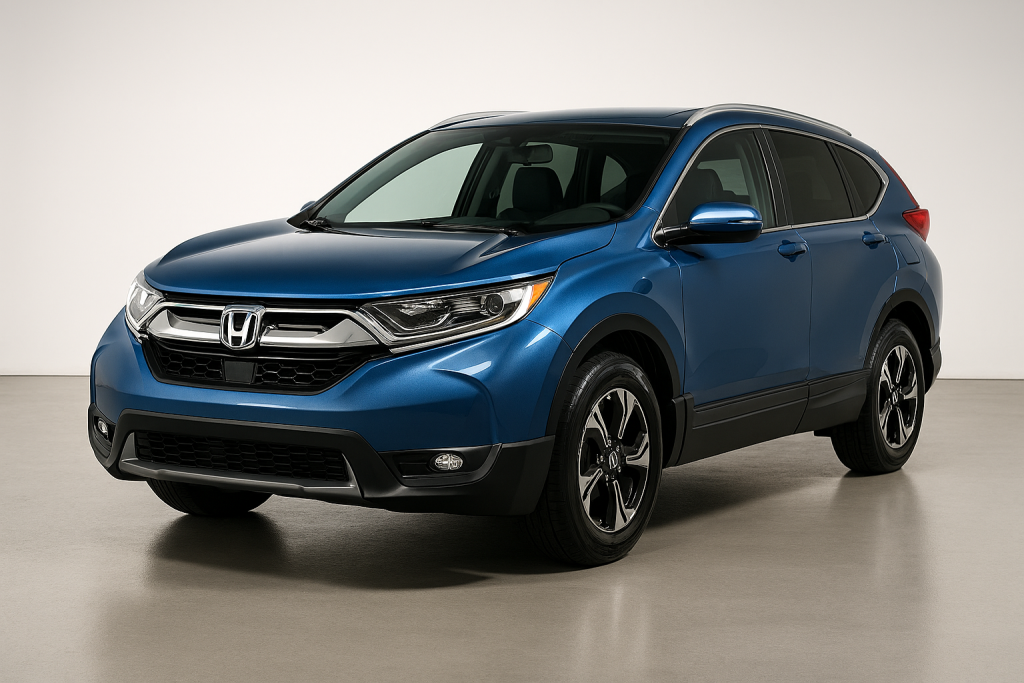 Sold
2017 Honda CR-V EX$19,90093,000 mi
Sold
2017 Honda CR-V EX$19,90093,000 mi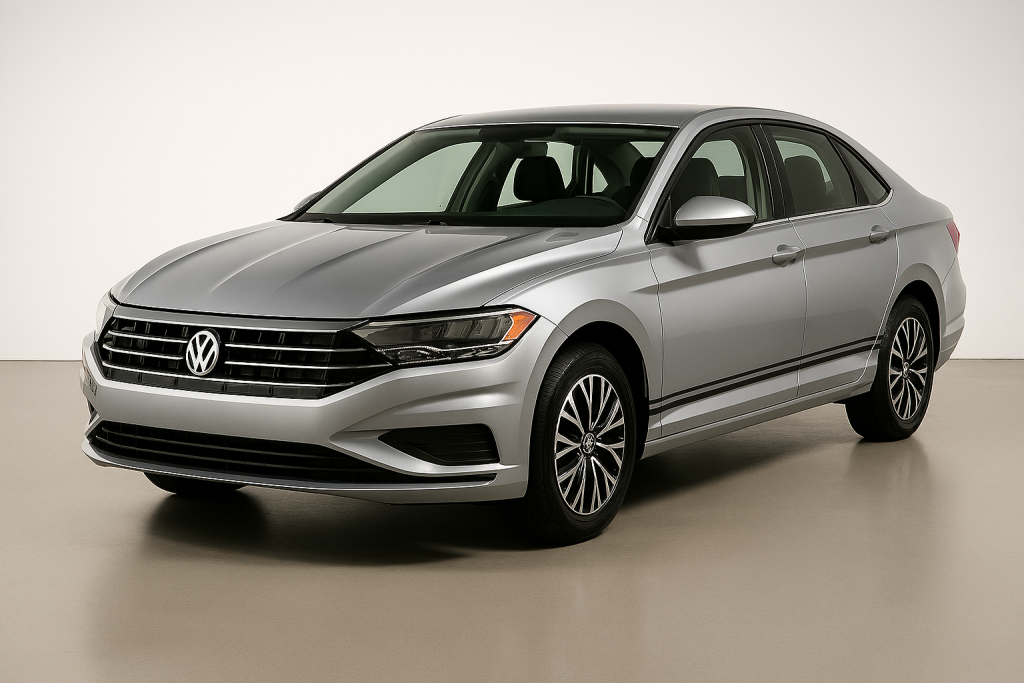 Sold
2019 Volkswagen Jetta SE$15,90070,000 mi
Sold
2019 Volkswagen Jetta SE$15,90070,000 mi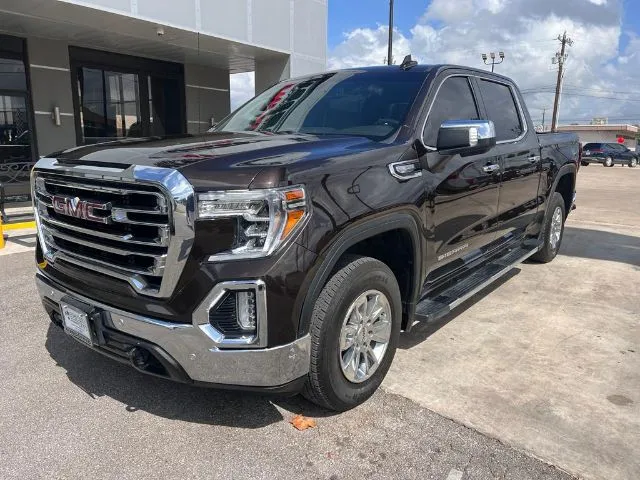 Available
2020 GMC Sierra 1500 SLT$38,90048,000 mi
Available
2020 GMC Sierra 1500 SLT$38,90048,000 mi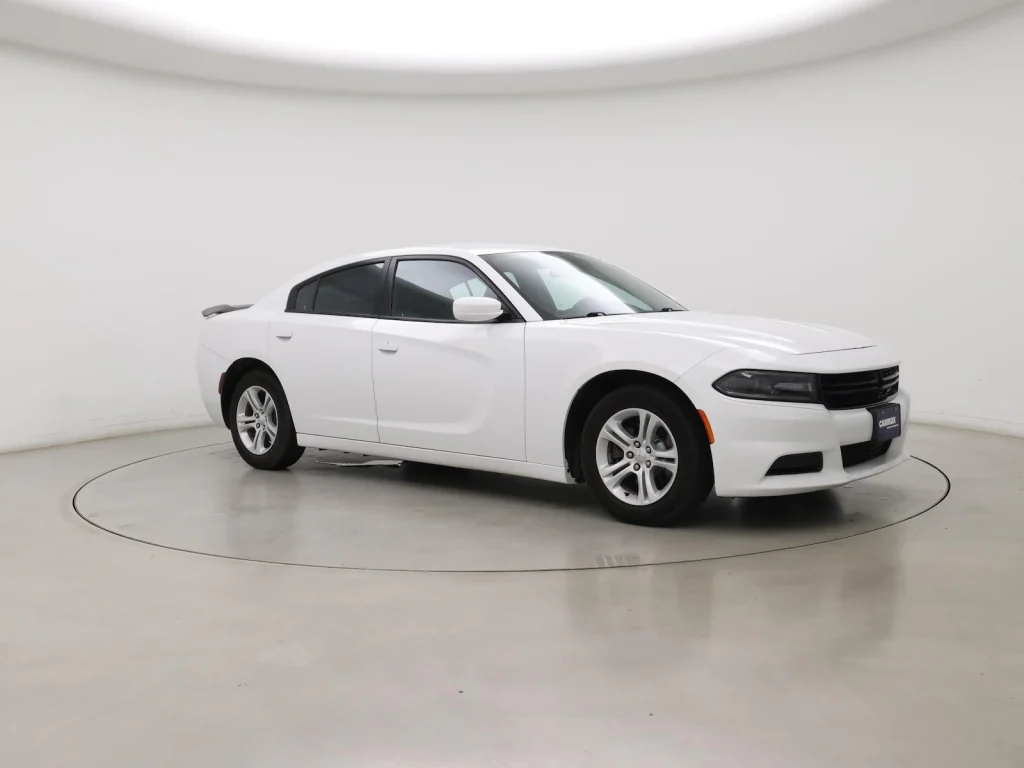 Sold
2018 Dodge Charger SXT$19,90082,000 mi
Sold
2018 Dodge Charger SXT$19,90082,000 mi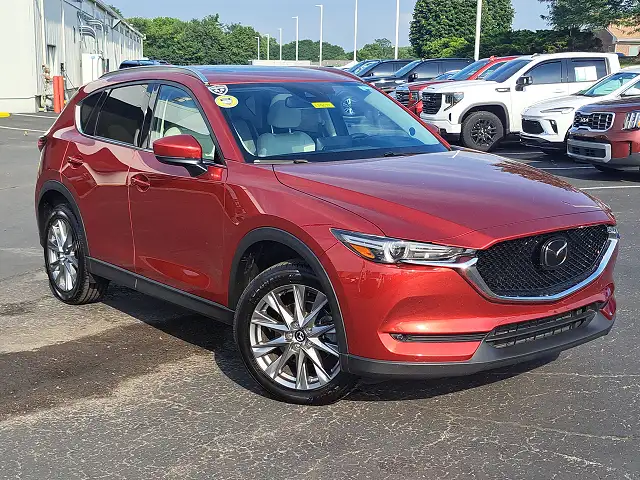 Available
2021 Mazda CX-5 Touring$25,90036,000 mi
Available
2021 Mazda CX-5 Touring$25,90036,000 mi Pending
2016 Ford Focus SE$10,900101,000 mi
Pending
2016 Ford Focus SE$10,900101,000 mi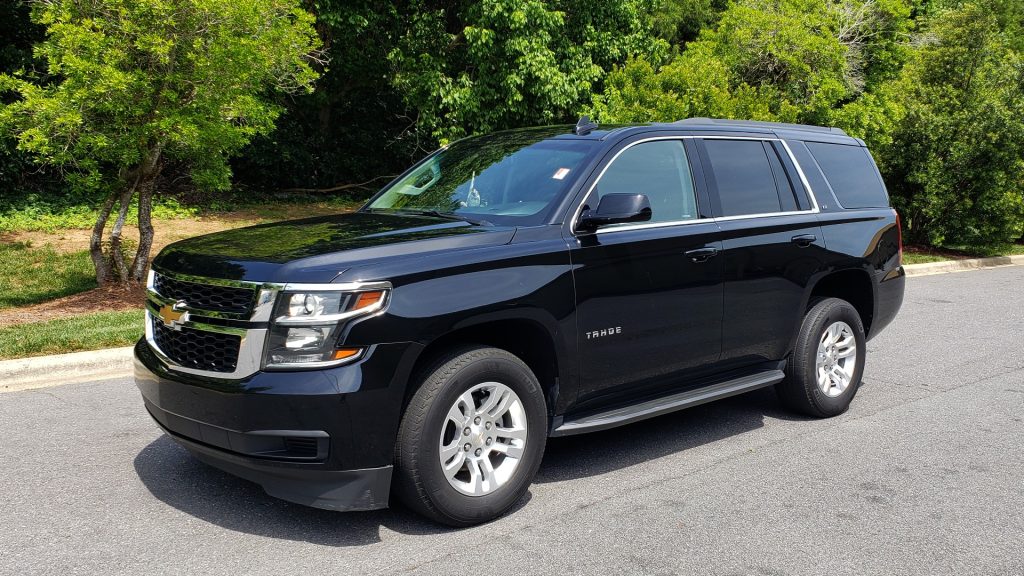 Available
2017 Chevrolet Tahoe LT$31,90099,000 mi
Available
2017 Chevrolet Tahoe LT$31,90099,000 mi Available
2019 Kia Sorento EX$20,90065,000 mi
Available
2019 Kia Sorento EX$20,90065,000 mi Pending
2018 Subaru Outback Premium$15,40078,000 mi
Pending
2018 Subaru Outback Premium$15,40078,000 mi Sold
2020 Hyundai Santa Fe SEL$23,90054,000 mi
Sold
2020 Hyundai Santa Fe SEL$23,90054,000 mi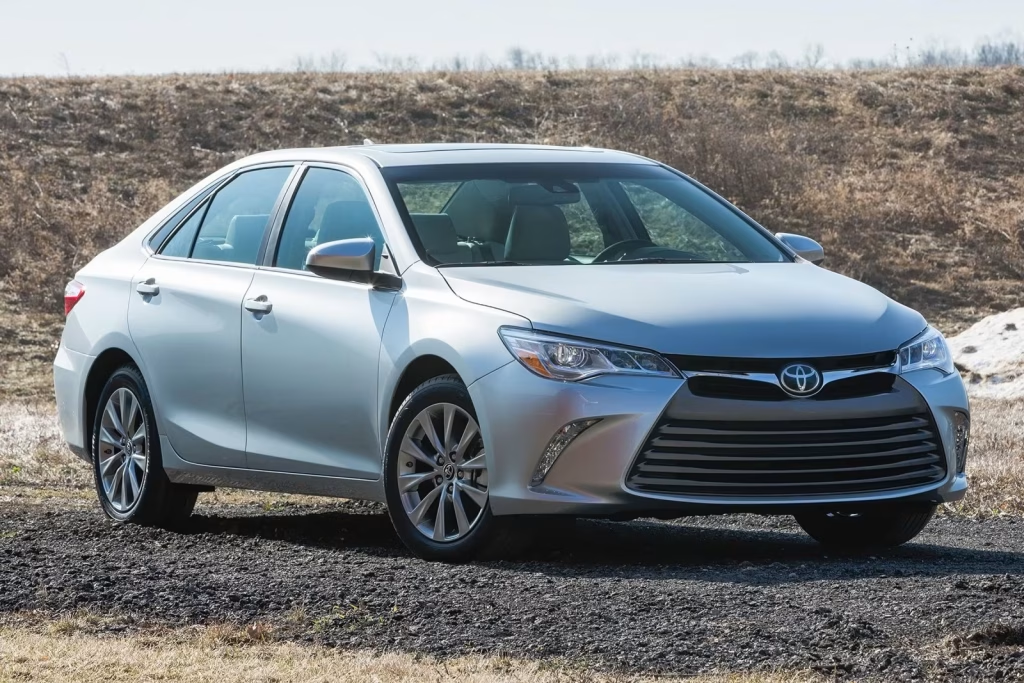 Available
2015 Toyota Camry SE$11,900112,000 mi
Available
2015 Toyota Camry SE$11,900112,000 mi - Filter by make, body type, price range
- Sort by newest, price, mileage, year
- AJAX load more (no page reload)
- Single vehicle page with gallery carousel
- Similar vehicles section
Up and running in 4 steps
Install the plugin
Upload the plugin folder to /wp-content/plugins/, activate from wp-admin. Flush permalinks by visiting Settings → Permalinks → Save.
Configure settings
Go to Vehicles → Settings. Enter your dealer phone number, WhatsApp number, and lead notification email.
Add your inventory
Add vehicles one by one, or use Vehicles → Import CSV to bulk upload from your existing spreadsheet.
Publish your lot
Create a WordPress page, add the shortcode
, publish. Your public inventory page is live.
Available
Sold
Sold
Available
Sold
Available
Pending
Available
Available
Pending
Sold
Available
Navigation map
Everything lives under the Vehicles menu in wp-admin. Here's what each item does.
CSV format reference
Use the Import CSV feature to bulk-upload your existing inventory from Excel or Google Sheets.
| Column header | Required | Notes |
|---|---|---|
title | If no year/make/model | Used as vehicle title if year+make+model not provided |
year | Recommended | 4-digit year |
make | Recommended | Creates taxonomy term automatically |
model | Recommended | |
trim | No | |
body_type | No | Sedan, SUV, Truck, etc. Creates taxonomy term. |
price | No | Numbers only. Dollar sign stripped automatically. |
mileage | No | Numbers only. Commas stripped automatically. |
vin | No | Used to detect duplicates and update existing records |
transmission | No | Automatic, Manual, CVT, etc. |
fuel_type | No | Gas, Diesel, Hybrid, Electric, etc. |
drivetrain | No | FWD, RWD, AWD, 4WD |
exterior_color | No | |
interior_color | No | |
status | No | available, pending, sold |
location | No | Lot A, Lot B, etc. |
features | No | Pipe-separated list: Sunroof|Backup Camera|Heated Seats |
gallery | No | Image URLs pipe-separated. Downloaded and attached automatically. |
The buyer's journey
From browsing your inventory to submitting a lead — this is what your website visitors experience.
Available
2022 Ford Mustang EcoBoost
$29,800
10,250 mi
Sold
2017 Honda CR-V EX
$19,900
93,000 mi
Sold
2019 Volkswagen Jetta SE
$15,900
70,000 mi
Available
2020 GMC Sierra 1500 SLT
$38,900
48,000 mi
Sold
2018 Dodge Charger SXT
$19,900
82,000 mi
Available
2021 Mazda CX-5 Touring
$25,900
36,000 mi
Pending
2016 Ford Focus SE
$10,900
101,000 mi
Available
2017 Chevrolet Tahoe LT
$31,900
99,000 mi
Available
2019 Kia Sorento EX
$20,900
65,000 mi
Pending
2018 Subaru Outback Premium
$15,400
78,000 mi
Sold
2020 Hyundai Santa Fe SEL
$23,900
54,000 mi
Available
2015 Toyota Camry SE
$11,900
112,000 mi
on any WordPress page for the full inventory grid with filters. Individual vehicle data shortcodes (Industry integrations
Each installation is configured for your dealership
AutoLot Pro is a self-hosted WordPress plugin — meaning every installation is unique to the dealer who owns it. Third-party industry integrations (VIN decoding, vehicle valuation, history reports, and more) are available as paid add-ons and are configured at the time of purchase based on your specific needs, data providers, and existing dealership software contracts. Contact your AutoLot Pro installer to discuss which integrations are right for your operation.
Kelley Blue Book
Auto-populate suggested retail and trade-in values when adding a vehicle. Helps price units faster and more competitively.
VIN Decoder
Enter a VIN and auto-fill year, make, model, trim, engine, transmission, and specs. Eliminates manual data entry on new acquisitions.
Carfax / AutoCheck
Display Carfax or AutoCheck history badges directly on your vehicle listings. Increases buyer confidence and reduces objections.
BlackBook / NADA Guides
Wholesale and retail value lookups for accurate acquisition pricing and floor planning decisions.
Auction photo import
Automatically pull vehicle photos from Manheim, ADESA, or other auction platforms when vehicles are acquired at auction.
Marketplace syndication
Push your inventory automatically to Cars.com, AutoTrader, Facebook Marketplace, and Craigslist on a scheduled basis.
SMS / WhatsApp automation
Automatic text message to agent when a new lead arrives. Follow-up sequences for leads that go cold. Requires Twilio account.
AutoLot Pro Mobile App
iOS and Android companion app for the business owner. Dashboard, inventory, leads, and aging alerts — all on your phone.
User roles
AutoLot Pro adds one new WordPress role on top of the standard roles. Access is controlled per role.
- ✓ View & edit all vehicles
- ✓ Dashboard & reports
- ✓ All leads & assignments
- ✓ Add & manage agents
- ✓ Commission settings
- ✓ Import & export CSV
- ✓ Plugin settings
- ✓ Cost entries & work orders
- ✓ Read vehicle listings
- ✓ View assigned leads
- ✓ Update lead status & notes
- ✗ Edit vehicles or prices
- ✗ Dashboard & reports
- ✗ Cost entries & work orders
- ✗ Other agents' leads
- ✗ Plugin settings
- ✓ View public inventory
- ✓ Submit lead forms
- ✗ Any admin access
- ✗ Vehicle data
- ✗ Lead records
- ✗ Reports
- ✗ Agents
- ✗ Any plugin settings
Quick reference
Key meta keys, shortcodes, and URLs for developers and advanced users.
Shortcodes
Available
Sold
Sold
Available
Sold
Available
Pending
Available
Available
Pending
Sold
Available